You have been inactive for some time. We automatically sign users out after 15 minutes of inactivity for their safety.

Need Help?
Browse Frequently Asked Questions or go through our resources. Read
through our knowledge base or start a conversation with support
Click here to select a product and get a cost estimate. You only pay for what you mail. There are no extra hidden fees or recurring monthly subscription charges.
Click here to view an illustrated Knowledge Base article that shows you how to view your order status.
Mail recipients have choices, too. Some consumers do not want to receive unsolicited mail. If a consumer wishes to explore their opt-out options, they should visit www.dmachoice.org. DMAChoice.org is a consumer portal developed by the Direct Marketing Association that houses MPS (Mail Preference Service), the 36 year old DMA service that enables consumers to express their preferences regarding the suppression and, more recently, the modification of direct mail marketing solicitations. DMAChoice is a direct marketing community service free online to consumers.
The postage discounts the USPS gives mailers for presorted mailings is based on something called Work Sharing. By presenting mail pieces that meet automation and barcode discount requirements, one or more of the Postal Service's sorting operations is bypassed. That represents savings for the USPS in processing costs and forms the basis of the discount that is passed on to mailers who present mail pieces meeting these requirements.
Automation and barcode discount requirements include placement of the return address, recipient address, barcode positioning, indicia, ancillary endorsement, document size, document weight, and NCOALink and CASS certified list processing. To obtain presort rates, mail must also be properly prepared, presorted, packaged, labeled and trayed (letter mail) or sacked (flats). There are very specific requirements for packaging, labeling, traying and sacking.
There are many, many requirements that must be met for mail pieces to qualify for automation and barcode discounts, but there's no reason to be intimidated. Click2Mail's easy to use interface makes it easy for you to take advantage of discounted postage rates.
If you are interested in something you don't see on the site, such as drop ship quantities, large quantities or a specific product variation, please call Customer Support for assistance. Customer Support can discuss the possibilities and work a quote.
Customer Support is open Monday - Friday 9 am - 8 pm Eastern. The phone number is 866-665-2787.
Return addresses are required but we can accommodate your logo in the return address area. Before we can do this, we must ensure the return address and logo are prepositioned on your document to meet size and placement requirements. Email [email protected] for more help with this.
Click2Mail has implemented the use of the Intelligent Mail Barcode on some mail pieces. The use of this barcode has extended our visibility into the mailstream and allows us to see the current status of your mail pieces. You can view the IMB tracking information on most products submitted after September 1, 2009. First class Intelligent Mail Barcode tracing does not include a delivery scan.Click here to view a Knowledge Base article that shows you how to view tracing information.
At this time we do not support the ability for users to print the Certified Mail paper work from their home computer. If you do have a hard copy of document you will need to scan that document as a PDF file and upload it into our website. Otherwise you will need to go to your local Post Office.
No, you can not send certified mail to international addresses. Certified mail is a domestic mail product.
Yes. You can select PayPal as a payment option during checkout or when you purchase user credit.
Postal service regulations do not allow for international return addresses when sending mail using an indicia. Because of this, you can not use international return addresses with mail sent through the Click2Mail system. Foreign return addresses will be replaced with a Click2Mail PO Box. Mail returned to this box is discarded.
If you are sending stamped mail, you can use an international return address, however the processing of that returned mail will be handled according to that country's postal rules and regulations.
At this time, users do not have the capability to change the font used on the recipient information or return address. The recipient information and return address are printed in News Gothic MT. The size is generally 8pt - 10pt, but does vary depending on the size of the mail piece on which the address is being placed.
The estimated delivery time for First-Class Mail® is 1 to 4 postal business days. If expected First Class Mail® or Priority Mail® has not arrived within 5 postal business days from its date of mailing, you can:
Call 1-800-ASK-USPS (1-800-275-8777) where a customer service representative will document your concern, OR Visit the Postal Inspection Service website and complete a mail loss report. Please note that with a mail loss filing, you will not automatically receive a response. If the item(s) is located it will be returned to you.
Please note that First-Class Intelligent Mail Barcode tracing does not provide a final delivery scan.
Submit your First-Class mailpiece by 8PM EST and it is mailed the next business day (including Saturday). You can also schedule your job to mail up to 180 days in the future. Lower cost 3 and 7 day printing is available for static print jobs.
Move Update is an address correction service that the USPS provides to mailers through USPS licenses. Address correction is necessary when your recipients move (either temporarily or permanently) and have filed a "Change of Address" with the USPS. To obtain the appropriate address correction information, Move Update licensees match mailing lists submitted to the USPS on tape, disk, or online against change-of-address information for the entire country from all Computerized Forwarding System units. If a match is made, NCOALink (National Change of Address Link) can correct the address before it is printed on a mail piece.
Click2Mail provides this service to our customers free of charge as part of our normal process when uploading your address list. Addresses that qualify for Move Update will be changed and the updated address will be printed on your documents when your order is produced. This results in less returned/forwarded mail for you and a cleaner and more promptly received document for your recipients.
Click2Mail Basics


USPS Support

-
Business Alliance Contact:
703.521.9029 Ext 4106 - Track Your Sales
- Signup for Training Webinars
- Request Group Training
- Email : [email protected]


Samples & Special Offers
Product Specifications & Cost

From the Blogs
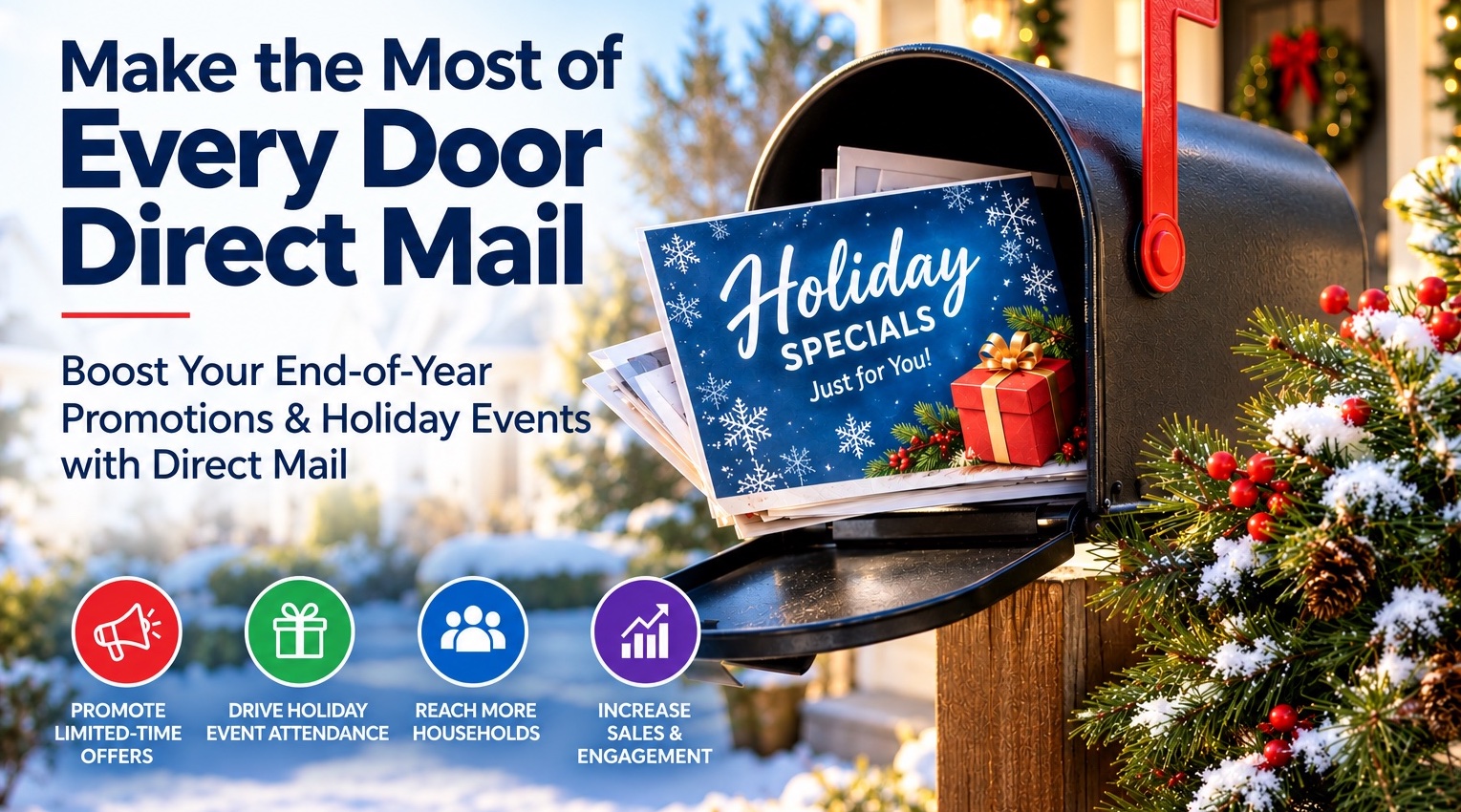
This season, local businesses, churches, and community groups can boost engagement and revenue through affordable offline marketing, specifically utilizing Click2Mail’s Every Door Direct Mail (EDDM). By reaching out directly to local households, organizations can effectively share event calendars, charity initiatives, and seasonal promotions, enhancing community connections while promoting "Shop Local" loyalty.
The post Why Every Local Business and Organization Needs Every Door Direct Mail appeared first on Click2Mail Blog.
Why Every Local Business and Organization Needs Every Door Direct Mail
Read More
Designing direct mail is simplified by integrating Canva's design capabilities with Click2Mail's printing services. Users can create visually appealing postcards and flyers using templates from Click2Mail in Canva. A step-by-step guide assists in ensuring the final product adheres to mailing standards, with helpful customer support available for any issues.
The post How to Design Direct Mail in Canva using Click2Mail Templates appeared first on Click2Mail Blog.